Best Interactive Training Tools: Top Platforms, AI Tools & Real Examples

![15 Best Animation Software for Beginners in 2025 [Free & Paid]](https://visme.co/blog/wp-content/uploads/2020/03/animation-software-header-wide.gif)
Animated visuals are a lot more engaging than plain, static images. In fact, they generate the highest number of shares on social media compared to other forms of visual content.
Animators use software like Visme, Adobe Animate, Toon Boom and Animaker for 2D animation. For 3D animation, popular tools include Blender and Houdini. Motion graphics professionals often use Adobe After Effects and Cinema 4D while game animators prefer Autodesk Maya, Spine and Unity. The choice depends on the animation style and industry requirements.
I recently tested out 15 top animation software to help you find the best fit for your needs.
But before we dive into the comparisons, think about what you want to get out of your investment.
For example, if professional animation is what you want, then you’ll probably lean more toward complex, high-end tools. But if a quick solution is what you’re after, then web-based tools with drag-and-drop interfaces are more relevant to you.
Here’s a quick breakdown of my testing methodology:
If you’re short on time, check out this table that summarizes the key takeaways for each animation software:
*Disclaimer: The comparisons and competitor ratings presented in this article are based on features available as of December 18, 2024. We conduct thorough research and draw on both first-hand experience and reputable sources to provide reliable insights. However, as tools and technologies evolve, we recommend readers verify details and consider additional research to ensure the information meets their specific needs.
| Software | Cloud-Based | Cost | Free Trial | Ideal for | G2 Rating |
| Visme | Yes | Free Plan | No | Infographics, presentations, social media graphics with animations | 4.6/5 |
| Adobe Animate | No | Paid Plans | Yes | 2D animation, interactive content, web animations | 4.1/5 |
| Blender | No | Free Plan | N/A | 3D modeling, rigging, VFX | 4.6/5 |
| Autodesk Maya | No | Paid Plans | Yes | 3D animation, film and TV production | 4.3/5 |
| Cinema 4D | No | Paid Plans | Yes | Motion graphics, 3D animation, AR/VR | 4.6/5 |
| Moho Animation Software | No | Paid Plans | No | 2D vector animation, rigging, particles | 5/5 |
| Biteable | Yes | Paid Plans | Yes | Marketing videos, quick animations | 4.3/5 |
| Animaker | Yes | Free Plan | No | Marketing videos, presentations | 4.7/5 |
| Pencil2D | No | Free | N/A | Frame-by-frame 2D animation, beginners | 4.1/5 |
| Powtoon | Yes | Free Plan | No | Presentations, marketing videos | 4.4/5 |
| Procreate | No | Paid Plans | No | Digital painting, sketching, 2D animation | 5/5 |
| Toom Boom Harmony | No | Paid Plans | Yes | 2D animation, TV and film production | 4.7/5 |
| Krita | No | Free | N/A | Digital painting, 2D animation | 4.4/5 |
| Vyond | Yes | $25/month | Yes | Drag-and-drop video interface and animations | 4.7/5 |
| SideFX (Houdini) | No | Free Plan | No | Procedural modeling, VFX, film production | 4.5/5 |

Visme is a cloud-based, online design tool that’s packed with thousands of premade templates, a library of free stock photos and videos, powerful AI capabilities, advanced collaboration tools and more.
It also features advanced animation and interactivity features so you can create animated, eye-catching social media images, infographics, presentations, ads and banners that pack a punch.
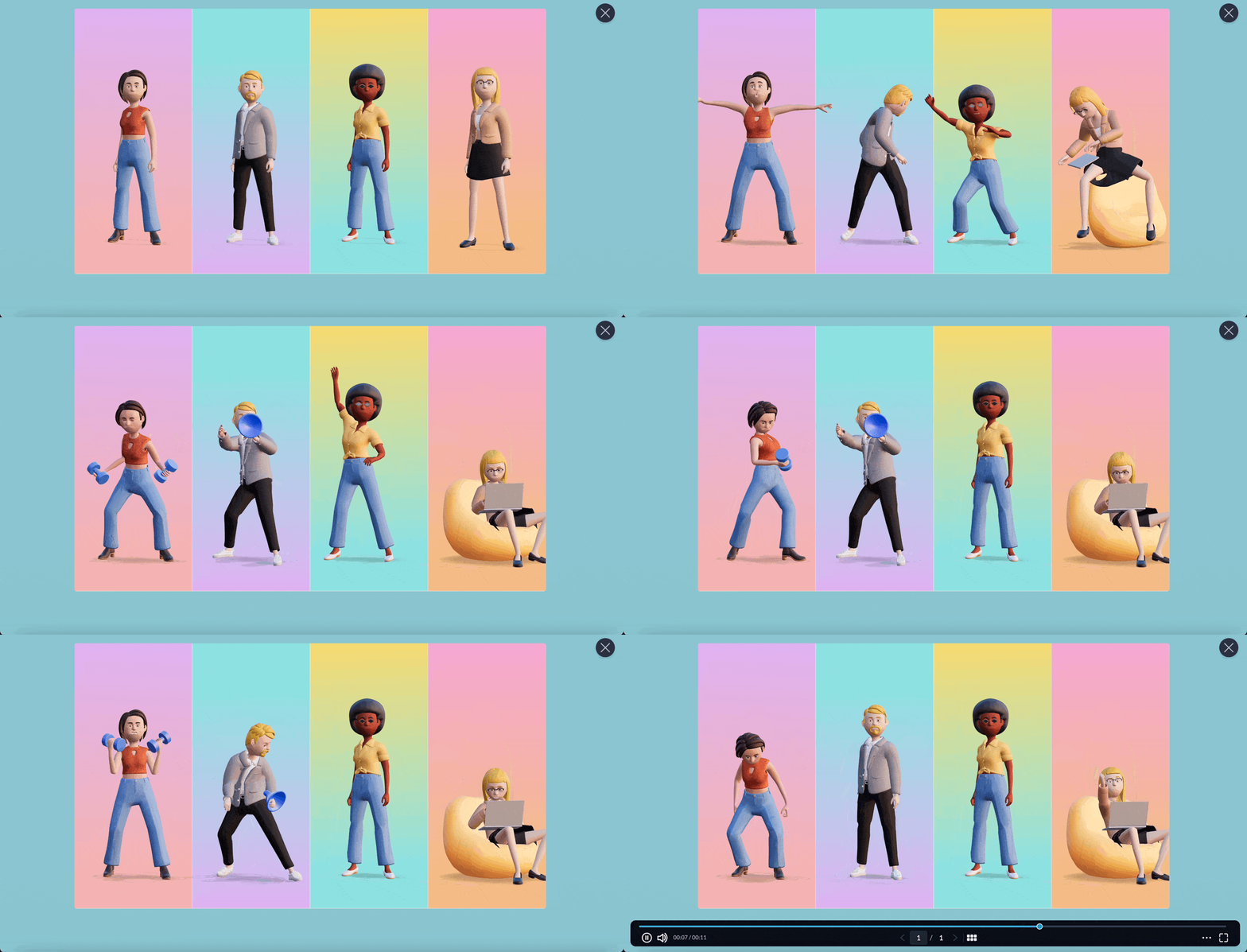
I love that Visme lets you play around with the design, colors and movement and even get granular with your animation timings. But for my use case of creating truly engaging business presentations and client reports, the pre-built characters and avatar poses are perfect.
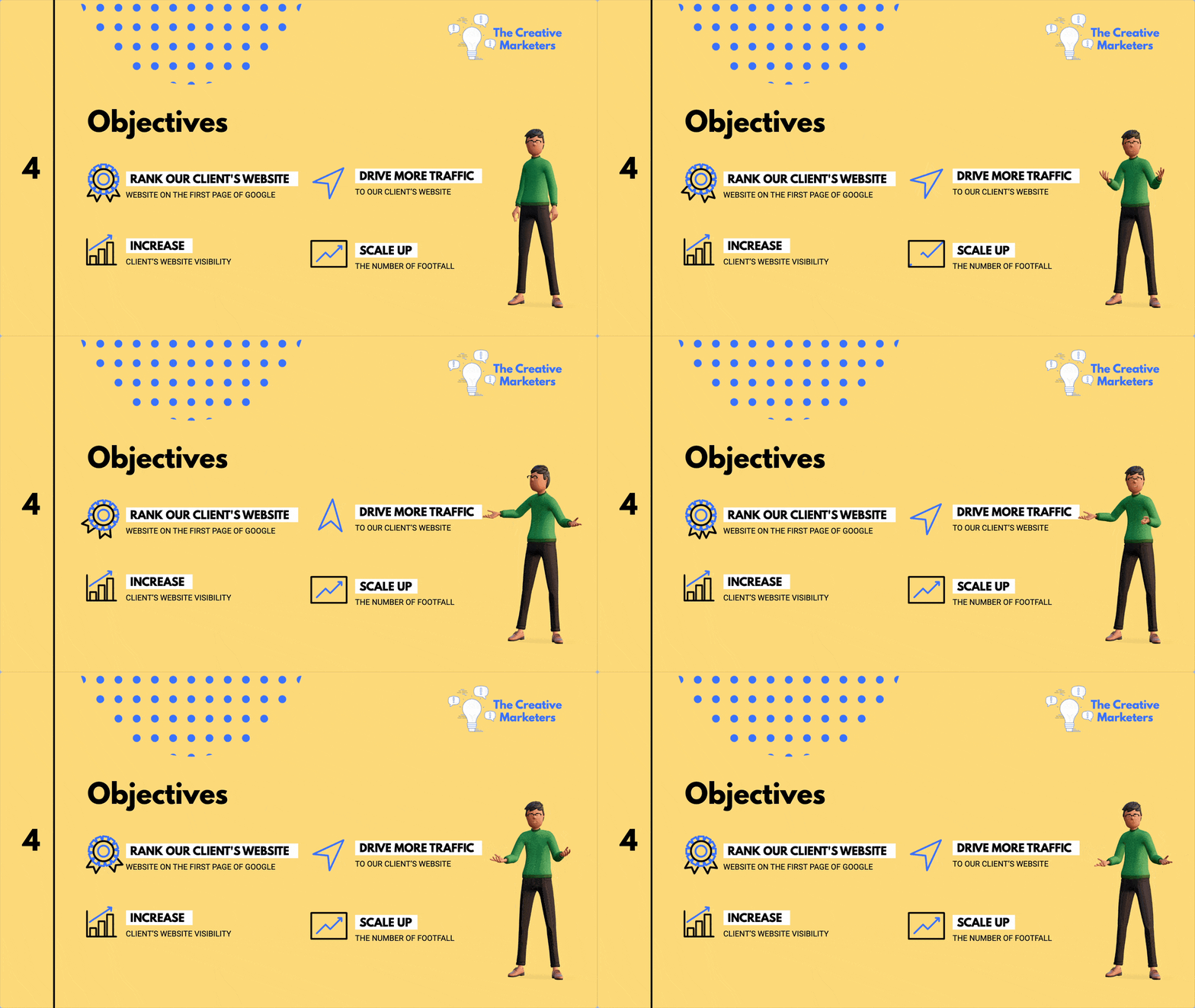
You can also add animation to other “static” content in your projects. Just hit the Animate button at the top of the editor, and you’ll be able to add movement.
Again, you can get as granular as possible with timings or even add custom animations to each object to really bring it to life.
I also like how it can animate data widgets like bar graphs and pie charts. Not only does this make navigation more fun but also brings data to life.
Check out this video to about one of the many cool ways you can create animations you can create using Visme:


Pricing: Free plan with limited features. Paid plans start at $12.25/month per user, billed annually.
Pros: All-in-one design tool packed with animation and interactivity features, great for both non-designers and designers, millions of free graphic assets inside the editor.
Cons: A variety of design and customizability options can lead to a slightly steep learning curve.
Best for: Marketers, corporate teams, teachers, trainers, personal use.
Operating System: Web-based
Animation Type: 2D


Adobe Animate is a new and improved version of Adobe Flash Professional. Although I haven't tried the tool myself (as it doesn’t have a free plan), its reviews and feature list were enough to make it to this list.
It lets you create unique characters from scratch for videos, games and even TV and adverts.
The interface is eerily similar to Photoshop, Lightroom and Premiere Pro, so if you’ve used any of these Adobe apps before, you’ll feel right at home. But if you’re unfamiliar with Adobe’s interface, you’ll need some time getting used to it.
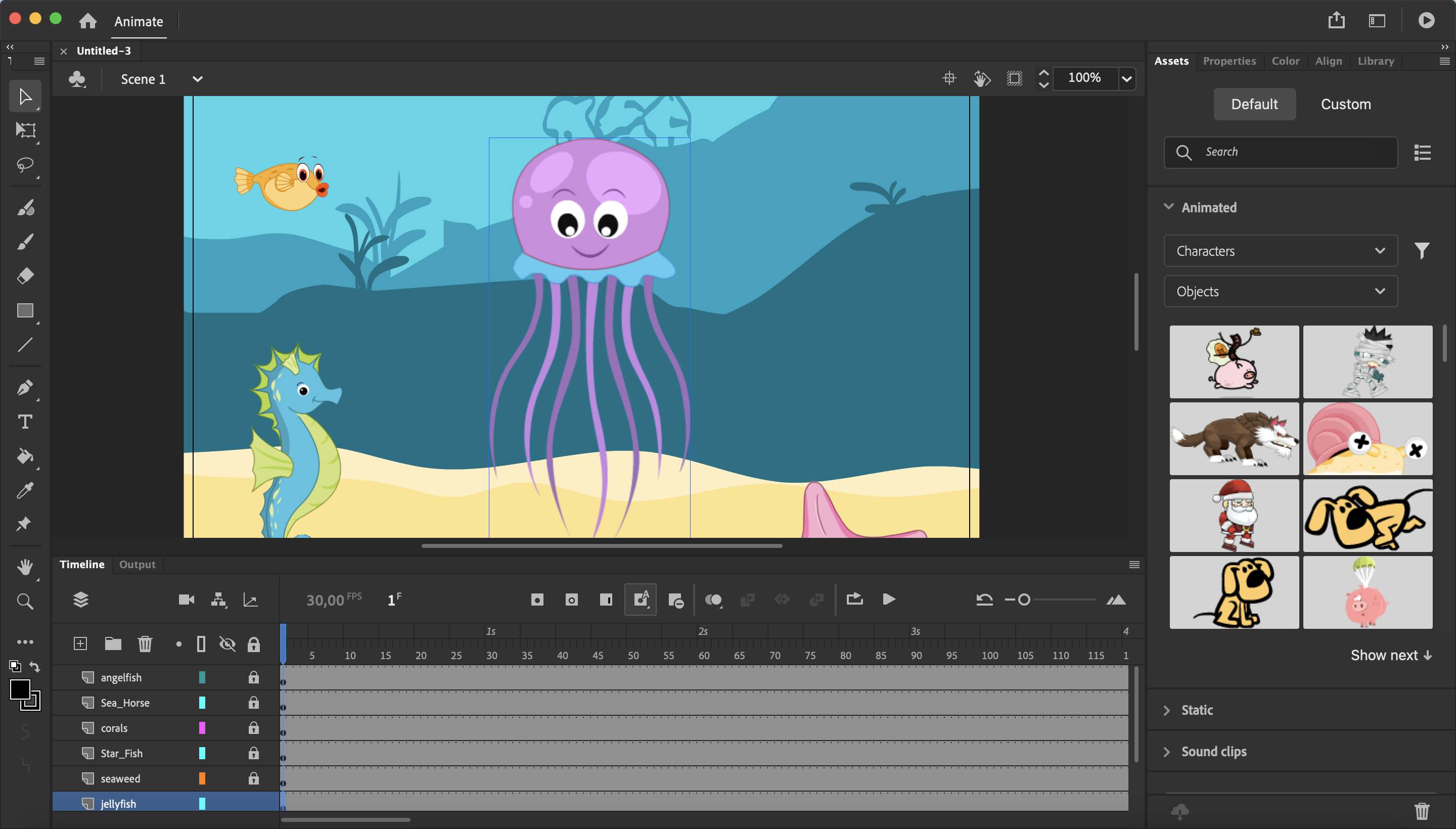
Beginners can also use Adobe Animate’s pre-built objects and characters to create something cool. Professionals can get granular with their designs by using the envelope deformer and flexi bone features that give animators frame-by-frame control over the movement of their objects.
Watch this video to see Flexi Bone in action:
However, Adobe Animate does have its drawbacks. Its interface and workflow can feel overly complex to users with quick, drag-and-drop animation needs.
If speed, accessibility and quick export options are your priorities, then Visme is probably a better choice.
Features:
Pricing: Starts from $22.99/month.
Pros: Extensive export and sharing options to publish your animations in virtually any format for any platform.
Cons: Just like any other Adobe software, Animate has a steep learning curve, especially for beginners.
Best for: Game designers, YouTubers and cartoon makers.
Operating System: Windows, macOS.
Animation Type: 2D
| Feature | Adobe Animate | Visme |
| Ease of use | Steep learning curve | Intuitive, beginner-friendly |
| Animation tools | Advanced rigging, effects | Drag-and-drop editor |
| Export options | Flash, HTML5, SVG, WebGL | Interactive, shareable formats |

Blender is an open-source video editing software that lets you have total control over your animations. It has advanced command line and programming features for rendering, modeling and creating 3D animations.
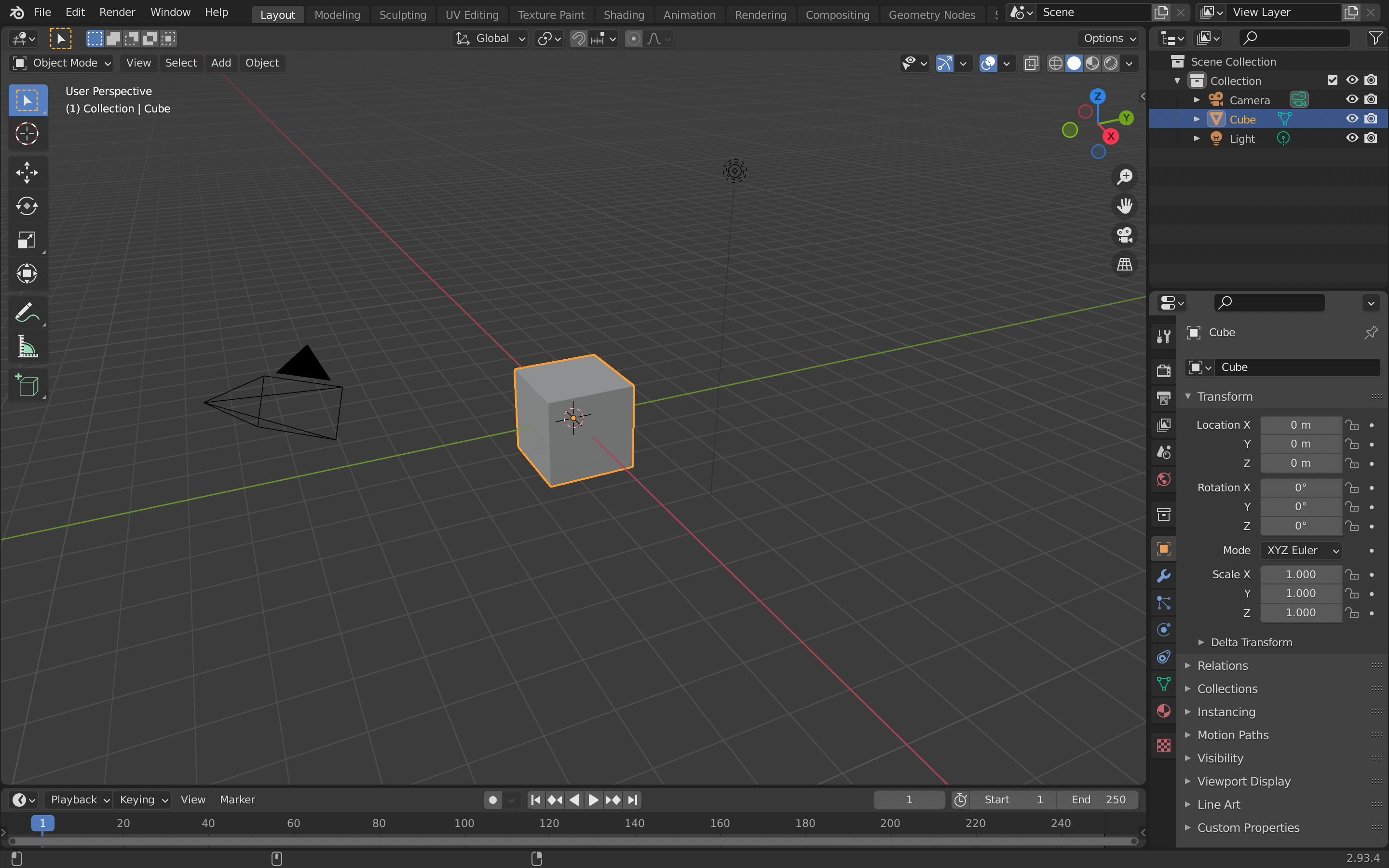
The key word here is “advanced.”
Blender has some amazing use cases for professional animators, artists or even scientists, but for beginners looking for some basic animation features, or managers/businesses looking to create eLearning content, it might be an overkill.
Here’s why, the tool has a complex layout that beginners will need to get used to. And since it's packed with features, it’s going to take an even longer learning curve to learn them all.
Also, when I searched YouTube for tutorials on some of Blender’s features, I found a host of brilliant short movies created with the tool. Netflix-quality short movies.
If you’re a professional who needs precision with animations, then Blender is an excellent, free choice. It’s also an ideal pick for beginners stepping into the world of animation since it's completely free and offers a platform to help excel in your career.
Pricing: Free.
Pros: It doesn’t cost anything to use Blender. Also, advanced animation and rendering tools make it fit for both beginners and expert users.
Cons: Blender has a very steep learning curve as it’s packed with so many features. Beginners will be overwhelmed and might need to spend hours on tutorials before getting it right.
Best for: Animators, engineers, scientists, artists, students.
Operating System: Cross-platform availability.
Animation Type: 3D and 2D
| Feature | Blender | Visme |
| Ease of use | Complex for beginners | Intuitive, beginner-friendly |
| Custom assets | Advanced 3D modeling tools | Pre-built animations, widgets |
| Performance | Heavy rendering capabilities | Quick, efficient animations |

Autodesk Maya is a robust 3D animation, modeling, rendering and simulation tool for creating expansive and immersive worlds, realistic characters and sensational effects.
In my opinion, it’s one of the best software for making 3D animations, especially because of its top-notch and complete 3D production package and models.
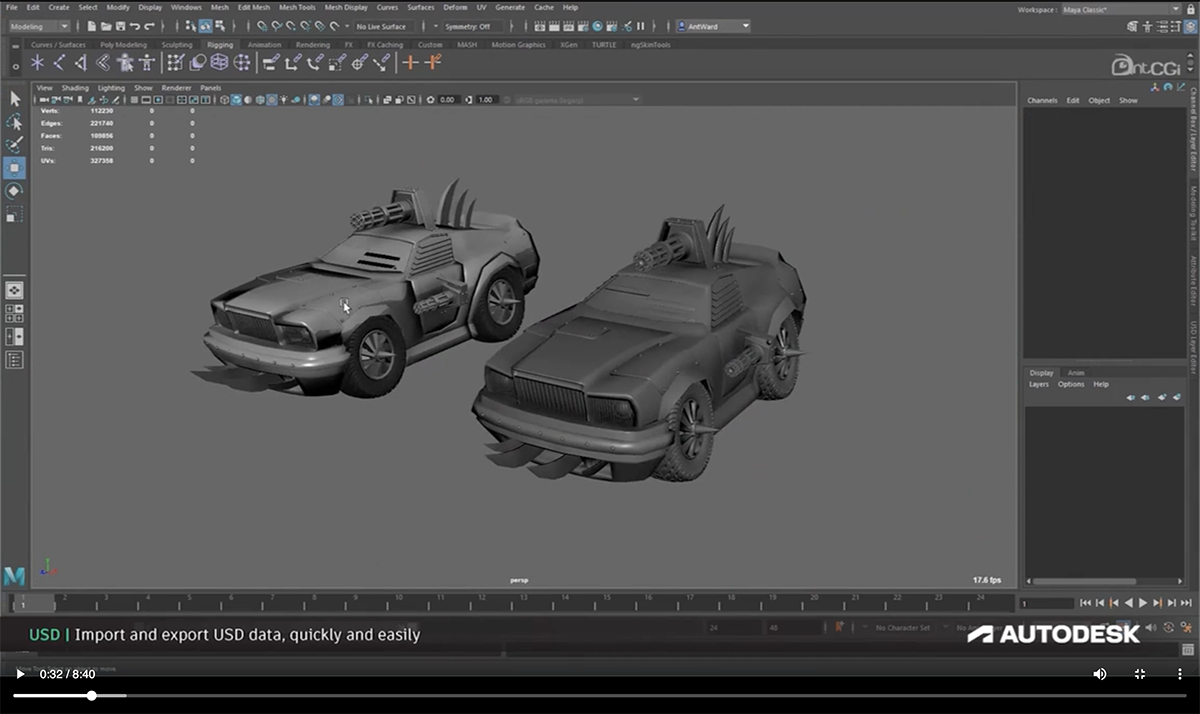
Maya, like Blender, has a dedicated online community. They regularly upload tutorials and workflow videos on YouTube to teach users how to make the most of the software.
Similar to Blender, Maya is also more relevant for professional animators and artists wanting complete control over their work.
Pricing. Maya's subscription plan starts at $235 per month. The Flex plan starts at $300 for Minimum, $1500 - Popular and the Custom plan.
Pros. This professional animated tool offers a wide range of tools and features for 3D animation and visual effects. User-friendly interface. Adaptable and scaleable for the most complex worlds, characters and workflows. Ability to iterate faster and accelerate workflows.
Cons. The tool is pricey for smaller startups and creators. It has a steep learning curve for beginners.
Best for: Creative designers and artists.
Operating System: Windows, macOS, Linux.
Animation Type: 3D
| Feature | Autodesk Maya | Visme |
| Ease of use | Advanced, requires significant expertise | Intuitive, beginner-friendly |
| Workflow | Professional-grade pipelines | Streamlined animations timelines |
| Collaboration | Limited | Advanced; tag collaborators, edit, share feedback etc |

When it comes to animated tools for motion graphics, Cinema 4D is an industry standard for visual creators at all levels—and why shouldn’t it be?
It's great for 3D computer animation, modeling, simulation and rendering, with an interface that is both powerful and surprisingly approachable for newcomers.
What makes Cinema 4D shine is its seamless Adobe integration, intuitive, creative toolset and brilliant physics engine that brings your creations to life.
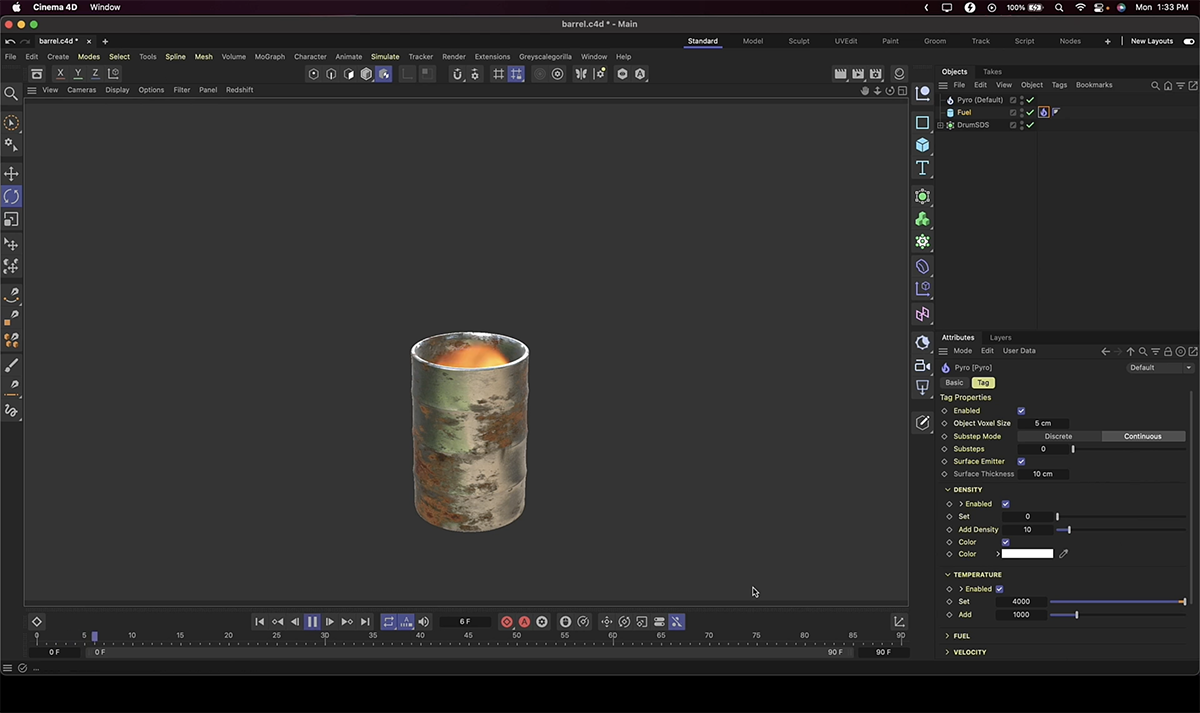
While the learning curve is steep, its intuitive workflow coupled with features for motion graphics, design, VFX, AR/MR/VR, game development and all kinds of visualization makes it a go-to choice for both aspiring creators and seasoned pros.
Pricing: Cinema 4D costs $69.91 per month, billed annually.
Pros: Cinema 4D is one of the easiest 3D packages to learn and use. Has a robust knowledge base and other support options. Equipped with lots of amazing animation and modelling-friendly features.
Cons. The tool is super expensive for starters. The interface can be overwhelming without proper guidance.
Best for: Creative designers and artists.
Operating system: Cross-platform availability.
Animation Type: 3D.
| Feature | Cinema 4D | Visme |
| Ease of use | Moderate learning curve | Designed for all skill levels |
| Motion graphics | Industry-standard motion tools | Animation timeline, effects |
| Real-world applications | Motion graphics, TV commercials, product visualization, VFX | Sales presentations, social media posts, report design |

Another animation software I tested was Moho Pro—a professional-grade animation software that can perform almost any task related to 2D vector animation.
I used their 30-day free trial and believe it's a perfect work tool for amateur and expert animators, hobbyists and digital artists.
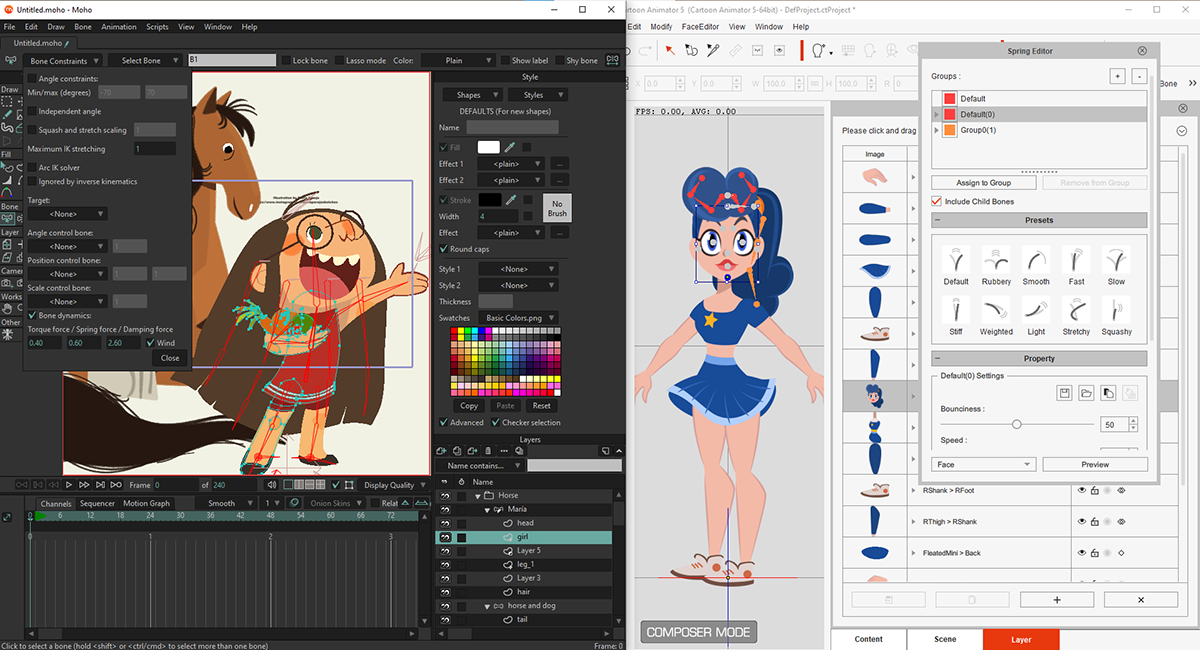
I particularly loved Moho’s character animation, as its bone-rigging system made movement feel incredibly natural. It handled both frame-by-frame animation and automated tweening like a champ. This is huge for artists who need flexibility in choosing their preferred workflow.
Also, for those coming from traditional art backgrounds, the vector tools feel instantly familiar, while the smart shape features speed up the animation process significantly.
Pricing: Moho Debut 14 starts at $59.99, while Moho Pro costs $399.99.
Pros: Moho is feature-rich and versatile. There are lots of tutorials, guidance and excellent resources to help users get started. Supports file import and integration with Adobe Photoshop
Cons: Steep learning curve for beginners. Most features available in Pro version.
Best for: Creative designers and artists.
Operating System: Windows, macOS.
Animation Type: 2D
| Feature | Moho Animation Software | Visme |
| Ease of use | Requires manual rigging | Simple, drag-and-drop |
| Rigging options | Bone rigging for realism | Prebuilt, easy character tools |
| Editing speed | Time-consuming frame edits | Quick adjustments |

If you want to create bite-sized, animated videos like promos, ads and social media videos, Biteable is a good option. I tried it for a week to make some quick video content.
It’s not your pro-level animation software, but that’s not what it’s trying to be.
It works best when you need to crank out simple animated videos for your social feeds or marketing campaigns. I mostly used their templates (they have tons) and tweaked them to match my style.
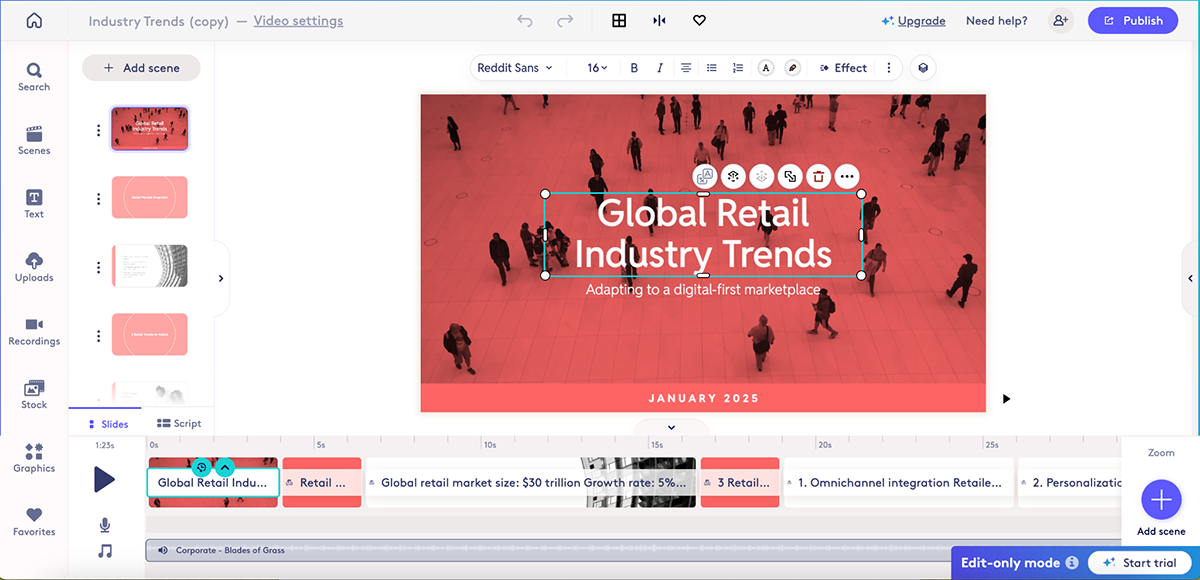
Their stock footage library is extensive. You can look through thousands of stock footage clips and scenes to put together an entirely customized video.
But the downside is that you can only publish or share your videos during the 7-day free trial. Afterward, you must upgrade to the pro or premium plan to download/share your projects.
Pricing: Free plan with limited features. Paid plans start from $15/month, billed annually.
Pros: Make all kinds of marketing videos, including explainers and demos. Access thousands of stock footage clips to create something unique.
Cons: You can only download in MP4 video format. Free plan exports come with a watermark.
Best for: Marketers, trainers and educators.
Operating System: Web-based.
Animation Type: 2D
| Feature | Biteable | Visme |
| Ease of use | Easy to use | Versatile and intuitive |
| Animation types | Video-based transitions, text animation, scene-based animation | Data visualization, character animation, UI motion |
| Content creation | Video ads, social media videos, video presentations | Presentations, infographics, social media, videos, reports |

Another tool I extensively checked out was Animaker. It’s a solid choice for businesses and educators looking to level up their visual content.
It packs quite a library. We’re talking pre-animated elements, character packs and gesture animations that make storytelling feel effortless.
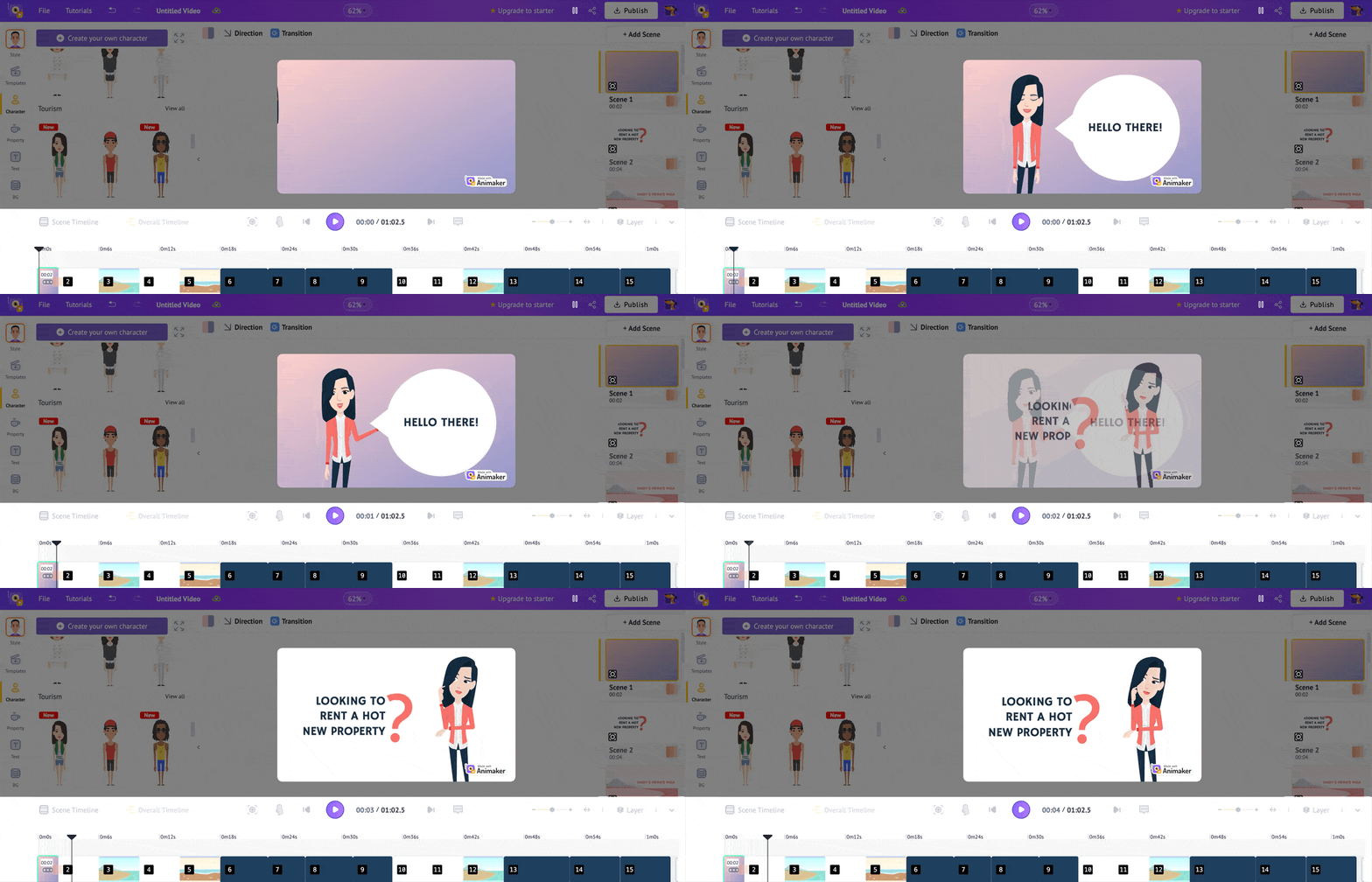
The tool’s drag-and-drop interface and timeline feature let you build engaging scenes without wrestling with complex tools and customize characters down to their facial expressions and poses.
I particularly appreciate how Animaker has fine-tuned its platform to hit that sweet spot between professional quality and ease of use.
However, considering how good the software is, I did encounter some lagging while loading scenes and characters.
Pricing: Free plan with limited features. Paid plans start from $15/month, billed annually.
Pros: Create animated videos for all kinds of business or personal uses. A variety of video styles, including several for whiteboard videos.
Cons: Only 5 watermarked downloads in the free plan. Only good for creating videos, not animated images.
Best for: Marketers, presenters, freelancers.
Operating System: Web-based.
Animation Type: 2D.
| Feature | Animaker | Visme |
| Character tools | Multiple animation styles, character customization, lip sync | Business-focused poses, customizable avatars |
| Data Visualization | Basic charts, limited data visualization options | Animated charts, interactive infographics, maps |
| Export Capabilities | MP4, GIF, images with watermark in free version | HTML5, GIF, MP4, JPG, PNG, PDF |

If you’re looking for animation software that strips away the complexity and sticks to basics, Pencil2D is it. It’s an open-source software that puts traditional frame-by-frame animation right at your fingertips.
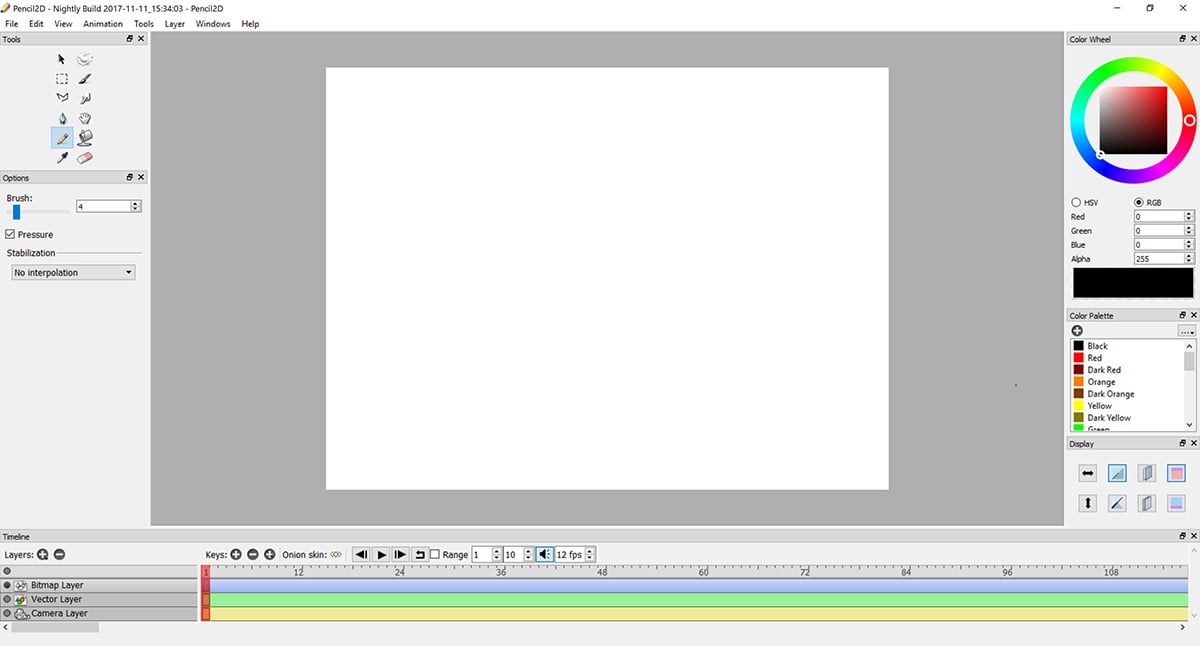
It uses a refreshingly simple approach. Think of it as your digital sketchbook that happens to create animations. The interface feels familiar—like drawing on paper—but with all the advantages of digital tools.
You get both bitmap and vector layers to work with, making it perfect for that hand-drawn animation feel.
Check out this animation created with Pencil2D. It looks like something out of a storybook:
However, Pencil2D’s simplicity might feel limiting for users looking to create more intricate, polished animations.
Pricing: Free.
Pros: It’s free to use and cross-platform, so it can work on any operating system. Simple and minimalistic editor to help you create traditional, hand-drawn animations.
Cons: Pencil2D is great for simple drawing animation, but lacks advanced animation and character-building tools. It’s not ideal for complex or modern-style animations.
Best for: Digital artists, cartoon makers, game designers and basic animators.
Operating system: Cross-platform availability.
Animation Type: 2D.
| Feature | Pencil2D | Visme |
| Drawing tools | Bitmap/vector layers, pressure sensitivity, onion skinning | Basic shape tools, icon editor |
| Animation method | Traditional frame-by-frame animation, layer management | Timeline-based keyframes, motion presets |
| File handling | Local file saving, manual backup needed | Cloud storage, auto-save, version history |

Powtoon is an online animation software that lets you create fun, interactive videos with animated characters and premade graphic assets. After playing around with it for a few hours, I got a good feel for what it could do.
The platform really helps bring ideas to life through video. Their template collection has enough variety to keep things interesting, whether you’re making business presentations or team updates.
But what stood out most was Powtoon’s whiteboard animation tool. It’s great for breaking down complex topics into clear visual stories, which is exactly what you need when explaining new concepts or processes.
The only drawback is that most Powtoon templates aren’t available on a free account. You’ll most definitely have to purchase the premium version to access them.
Pricing: Paid plans start from $15/month, billed annually.
Pros: Easy to use tool for beginners. Plenty of built-in graphic assets. Advanced character customization.
Cons: Limited options for built-in music. Advanced features and removing the watermark are locked for free users. Working on heavy projects can slow down Powtoon’s editor.
Best for: Marketers, presenters, educators, trainers.
Operating System: Web-based.
Animation Type: 2D.
| Feature | Powtoon | Visme |
| Scene creation | Scene-based timeline, whiteboard animation style | Full slide editor, dynamic layouts |
| Interactivity | Linear video playback, basic transitions | Clickable elements, hover effects, transitions |
| Audio features | Text-to-speech, soundtrack library, voice recording | Background music, voice-over support, sound effects |

Procreate is one of the most powerful and intuitive animated tools that use frame-by-frame animation techniques.
What makes it stand out is how natural it feels. Your Apple Pencil moves across the iPad exactly like traditional art tools, but with all the advantages of working digitally. The software just gets out of your way.
I found Procreate’s timeline simple to navigate and switching between frames feels seamless.
Each brush stroke responds exactly as you'd expect, making the whole process feel like drawing in a real sketchbook, but with the ability to easily edit and refine your animations.
If you already have an iPad and an Apple pencil, download the app from Apple Store and start creating animations.
Pricing: Procreate comes with one-time pricing of $12.99 exclusively from the Apple Store. No subscription.
Pros: Simple and easy-to-use interface. Wide range of brushes and an option to import Photoshop (.abr) brushes into your app. 120hz performance to take full advantage of Apple’s ProMotion technology.
Cons: Only works with iPad and Apple pencil. It works in pixels, so you can’t create vectors. Difficult adjustment layers.
Best for: Beginners, freelancers and hobbyists.
Operating System: iPad.
Animation Type: 2D.
| Feature | Procreate | Visme |
| Accessibility | iPad only | All devices |
| Input methods | Apple Pencil focus, pressure/tilt sensitivity, gestures | Mouse/keyboard interface, touch support |
| Drawing integration | Natural sketching with brushes | Editable prebuilt assets |

Toon Boom Harmony is a professional-grade animation software widely used in the TV and film industry. It offers a range of tools for end-to-end 2D animation, including rigging, compositing and special effects.
Major animation studios rely on Harmony for its production pipeline features and output quality.
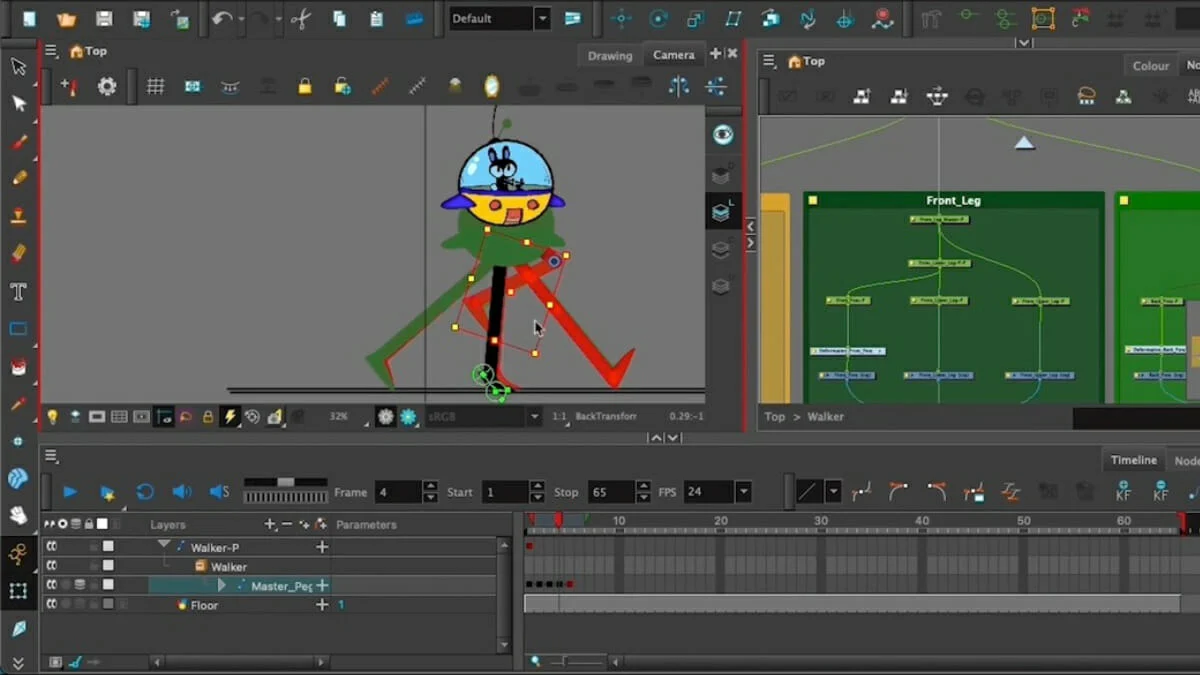
Working in Harmony means access to advanced color palettes, automated lip-syncing and a script integration system that streamlines the animation workflow. While it carries a steep learning curve, the software rewards those who master its extensive toolset.
Pricing: Plans start at $28.50/month. You can take advantage of a free trial to check out the software before you buy.
Pros: Versatile animation software for various types of animation styles and purposes, professional-grade tools.
Cons: Unintuitive interface, steep learning curve, expensive, requires powerful hardware.
Best for: Professional animators and creatives.
Operating System: Windows, macOS.
Animation Type: 2D
| Feature | Toon Boom | Visme |
| Ease of use | Steep learning curve | Intuitive, beginner-friendly |
| Animation workflow | Rigging-heavy, pro-grade tools | Quick timeline customizations |
| Animation Features | Automated lip sync, deformers, inverse kinematics | Preset character movements, transitions |

Krita is a free, open-source digital painting and animation software. It is known for its wide range of painting tools and capabilities for creating frame-by-frame 2D animations.
The platform is used widely in the digital VFX industry and is a favorite of illustrators, comic book and concept artists.
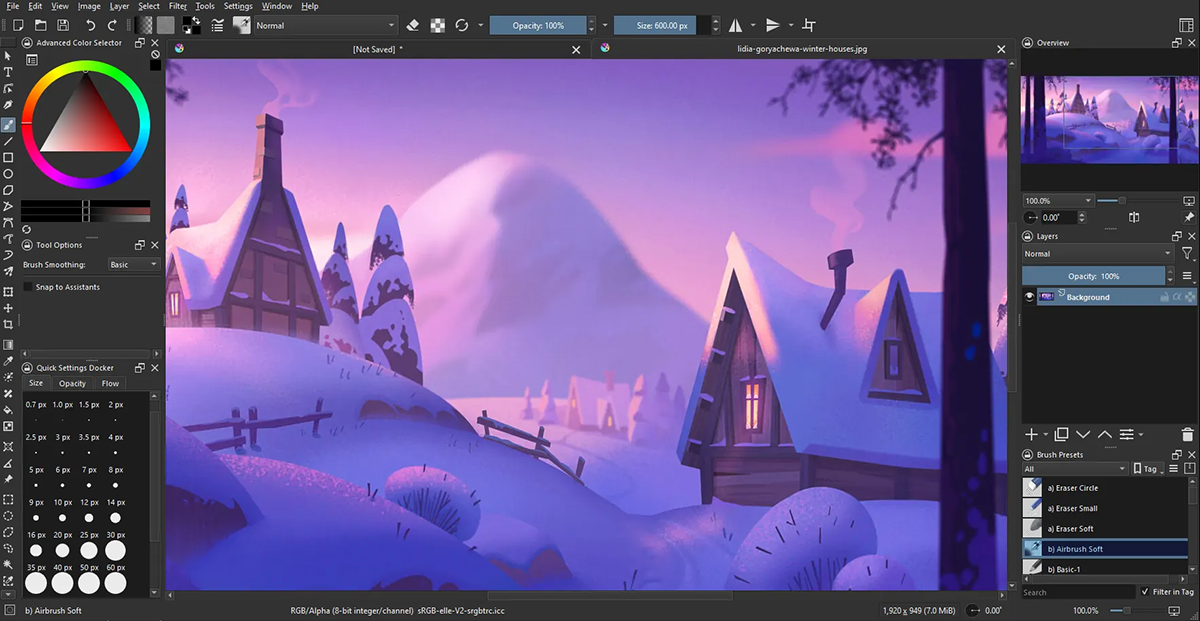
Beyond its professional-grade brush engine, Krita shines in how it handles animation. The timeline makes it easy to track frame sequences, while onion skinning helps artists create smooth movements.
The fact that such a tool is free and open-source makes it particularly appealing for artists looking to explore digital animation without a hefty investment. Just be ready to spend some time learning its unique interface and workflow.
Pricing: Free
Pros: Free and open-source, powerful painting tools, suitable for both beginners and professionals.
Cons: Limited support for complex animations, requires a good understanding of digital painting and art skills.
Best for: Professional animators, digital artists and illustrators.
Operating System: Cross-platform availability.
Animation Type: 2D.
| Feature | Krita | Visme |
| Ease of use | Complex digital painting tools | Designed for all creators |
| Animation style | Traditional frame-by-frame art | Templates, graphs, animations |
| Layer management | Advanced layer masks, filter layers, clone layers | Standard layers, opacity control |

Vyond is an online animation platform that lets you create engaging videos using pre-built characters, templates and backgrounds.
While it’s popular for business and educational content, its library spans everything from office settings to superhero scenes and cozy home environments.
I appreciate how the platform keeps animation simple with a drag-and-drop interface. But it still took me some time to get used to it.

You can customize characters’ looks, expressions and movements, while choosing from a diverse range of scenes and props to build their stories.
Overall, Vyond is great for non-animators wanting to create professional-looking content without needing technical expertise. The only downside, however, is that it doesn’t let you share or publish your projects on the free trial.
Pricing: Vyond offers a 2-week free trial to test out the tool and its features (no credit card required.) The paid plans start from $25/month.
Pros: Easy to use, rich asset library, cloud-based access, automated features, multiple export options.
Cons: Subscription required, internet-dependent, fewer pro-level tools.
Best for: Businesses and educators.
Operating System: Web-based.
Animation Type: 2D.
| Feature | Vyond | Visme |
| Ease of use | Beginner-friendly | Intuitive, beginner-friendly |
| Character tools | Focus on character poses | Customizable prebuilt assets |
| Content range | Limited to storytelling videos | Animated charts, infographics, social media content, eLearning content, reports, presentations, eBooks, etc |

Houdini is a 3D animation tool for rigging, modeling, VFX, animation, lighting, look development and rendering in gaming, film, TV and advertising. Its intuitive, user-friendly features enable artists and creators to create multiple iterations and easily share workflows with co-creators.
What I love most about Houdini is its node-based procedural workflow.
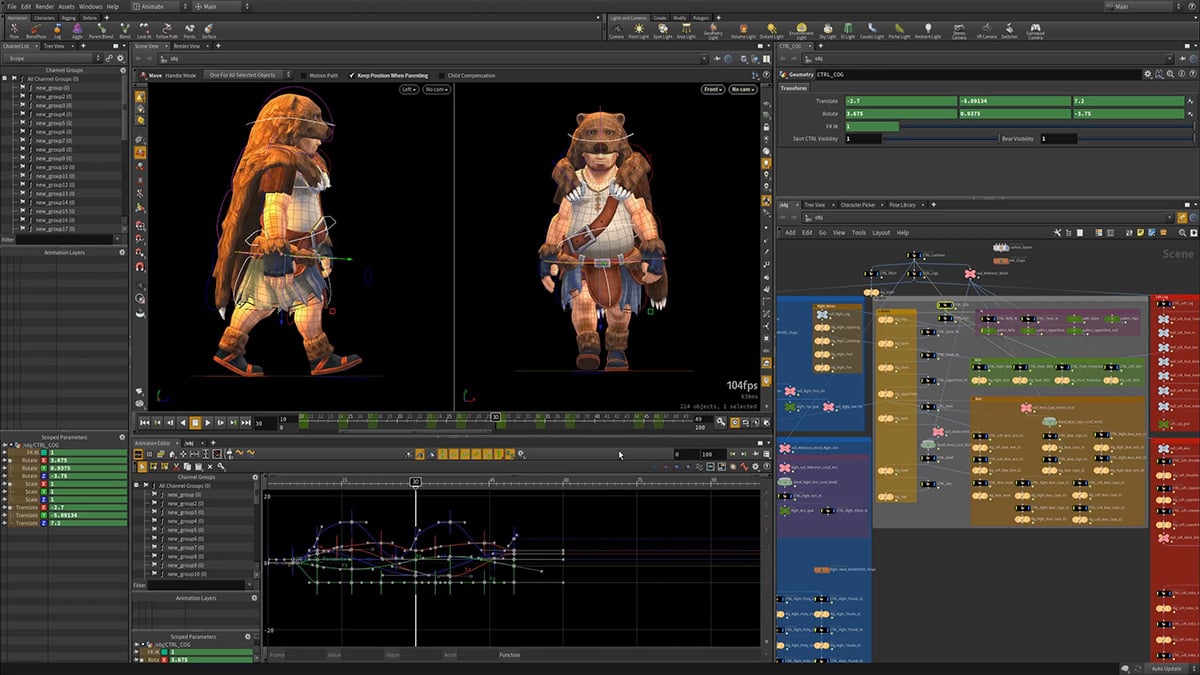
This means artists can create complex effects, modify them at any point in the process and reuse their work across multiple projects.
It also excels at creating realistic natural phenomena like fire, water and destruction effects—making it a no-brainer for VFX artists.
Quick heads up: I have used DaVinci Resolve to edit YouTube videos, so I’m familiar with the node-based workflow. But for newbies, that’ll definitely take some time and effort to master.
Pricing: Houdini has a free plan for the learning edition. The paid plans starts at $269 (1-year rental)
Pros: This animated software offers robust rendering and modeling capabilities. The procedural workflow saves time by allowing changes to be made quickly in the pipeline. Offer fluid, solid, particle, and other impressive simulation capabilities.
Cons: For a program for animation, SideFX has a steep learning curve and requires a lot of practice for beginners to get the hang of it.
Best for: Creatives, designers and artists.
Operating System: Cross-platform availability.
Animation Type: 3D
| Feature | Houdini | Visme |
| Ease of use | Steep learning curve | Intuitive, beginner-friendly |
| Visual complexity | Advanced VFX and simulations | Quick, clean animations |
| Workflow flexibility | Procedural, node-based editing | Drag-and-drop, timeline tools |
Visme stands out as an all-in-one visual content creation platform that empowers users to create stunning and engaging animations, animated presentations, infographics, documents and more. With Visme’s intuitive interface and robust features, anyone—beginner or professional—can make captivating animations in a matter of minutes.
Visme has a rich library of assets, templates, graphics, images, icons and animations. You can animate each of these design elements to provide an immersive experience for your audience.
Access a wide range of animation options, including entrance, emphasis, exit, and motion path animations, animated icons, illustrations and special effects. Enhance audience engagement with interactive elements such as clickable buttons, links, hotspots, pop-ups, and hover effects.
No, you do not necessarily need coding skills to create animations, especially with the advent of user-friendly animation software and tools available today.
Many animation platforms, like Visme, Adobe Animate, Toon Boom Harmony, and others, offer intuitive interfaces and drag-and-drop functionality that allow users to create animations without writing a single line of code.
These platforms provide pre-built assets, templates, and animation effects that users can customize and combine to create engaging animations.
The process typically involves arranging visual elements on a timeline, adjusting their properties, and specifying how they move and interact with each other.
Yes, there are several animation software options available for free. These software for creating animation provide basic features and are excellent for beginners, students, or individuals looking to explore animation without investing in expensive software.
Animation companies like Visme, Blender, OpenToonz, and Synfig Studio provide free access to animation tools. However, you need to purchase or upgrade to a paid version of the software to access advanced features and additional assets.
When searching for animation tools for beginners, it’s crucial to start with user-friendly software that offers a gentle learning curve. Visme stands out as an excellent choice for beginners due to beginner-friendly features like
Intuitive drag-and-drop interface. Beginners can easily navigate the platform, add elements, and create animations without getting overwhelmed by complex menus or tools.
Vast selection of pre-designed templates suitable for various animation purposes. These templates serve as a starting point, allowing beginners to customize and personalize their animations without starting from scratch.
Visme supports various formats, including animated presentations, videos, GIFs, and social media posts. This versatility enables beginners to explore different types of animations and choose the format that best suits their projects.
Visme’s shallow learning curve allows aspiring animators to dive into the world of animation without feeling overwhelmed. The tool makes the creative process enjoyable and rewarding for beginners.
Creating interactive content doesn’t have to be overwhelming.
Whether you’re creating presentations, marketing materials, or educational content, Visme empowers users to bring their ideas to life with captivating and professional animations.
Follow these steps to create animations with Visme:
1. Find a template you love or start with a blank canvas.
Fully customize the template or canvas to include your branding and messaging using the design features in Visme
2. Incorporate animations and interactive elements.
3. Download and share your animation.
Share your interactive content with your audience by sharing an online link, downloading it as a GIF, MP4 or HTML5 file, or embedding it on a web page.
*Disclaimer: The comparisons and competitor ratings presented in this article are based on features available as of December 18, 2024. We conduct thorough research and draw on both first-hand experience and reputable sources to provide reliable insights. However, as tools and technologies evolve, we recommend readers verify details and consider additional research to ensure the information meets their specific needs.
Choosing the best animation software can be confusing, especially if you’re a beginner and you’re looking for an easy, affordable option that scales with your needs.
For beginners who want to create animated content for marketing and internal communication purposes, we recommend Visme.
With Visme, you can create animated GIFs, marketing videos, explainers, animated charts and graphs, interactive documents with live data and more.
The best part? You don’t need to be a designer or animation expert to use Visme — the drag-and-drop editor works in your browser and makes animation a breeze!
If you’re ready to create animated and interactive content of your own, sign up for a free Visme account and test it out for yourself.
Design visual brand experiences for your business whether you are a seasoned designer or a total novice.
Try Visme for free




![The Best Interactive Content Platforms in 2026 [Reviewed]](https://visme.co/blog/wp-content/uploads/2025/10/The-Best-Interactive-Content-Platforms-in-2025-Thumbnail.png)